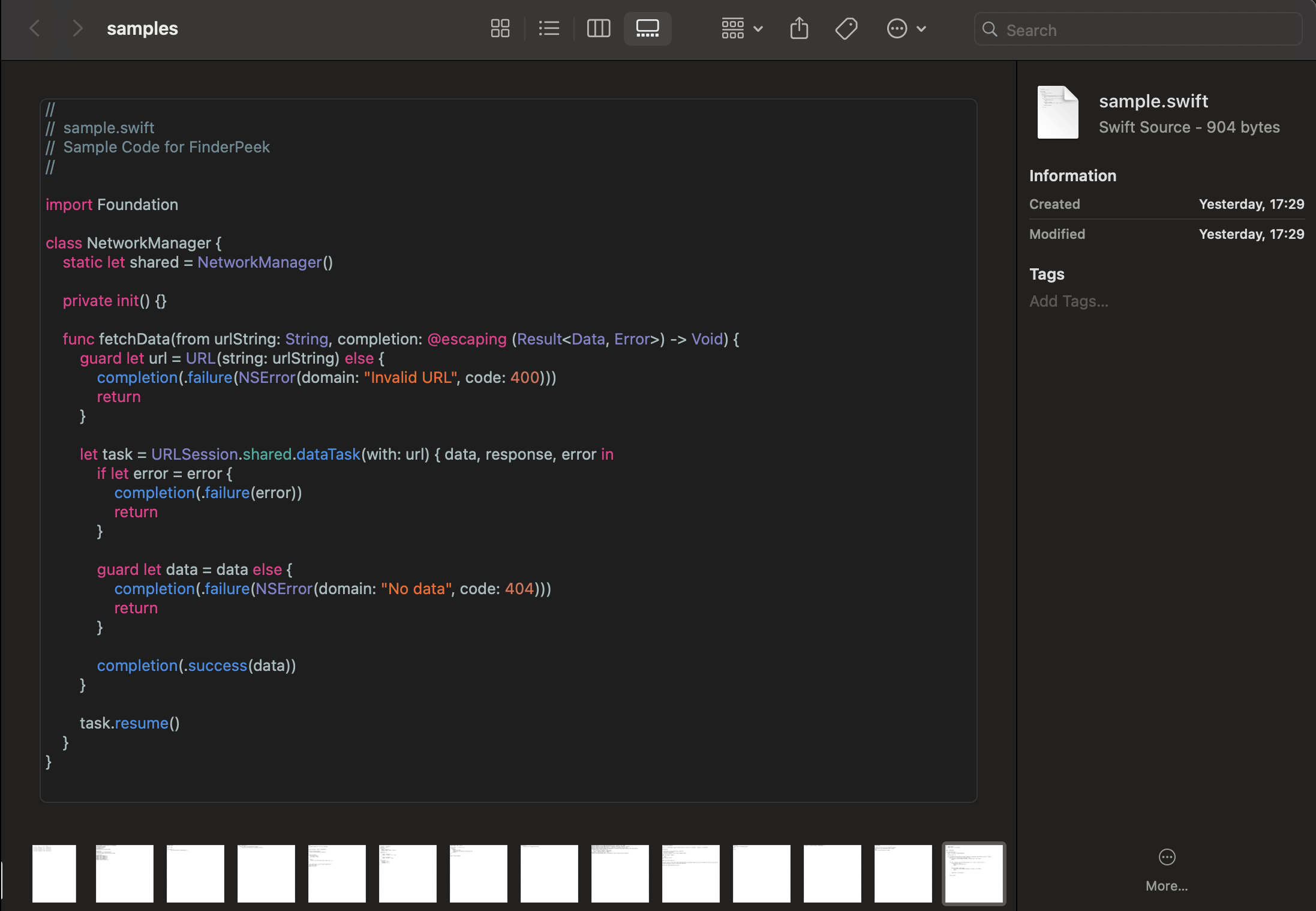
How FinderPeek works
FinderPeek adds rich code previews to macOS Quick Look. Select any source file in Finder and press Space — FinderPeek renders syntax-highlighted, readable code instantly using Tree-sitter parsers, without opening an editor or IDE. It supports 30+ languages, runs natively in Swift for near-instant loading on Apple Silicon, and never sends your code anywhere: all parsing happens on-device.
Is FinderPeek free?
No — FinderPeek is a one-time $4.99 purchase on the Mac App Store. No subscription and no in-app purchases.
What programming languages does FinderPeek support?
30+ languages with proper syntax highlighting, powered by Tree-sitter parsers — covering the vast majority of code you'll encounter day to day.
Does FinderPeek send my code anywhere?
No. All parsing and rendering happen locally on your Mac. FinderPeek makes no telemetry or cloud calls.
Do I need to open an app to preview a file?
No — FinderPeek hooks directly into macOS Quick Look, so pressing Space on a selected file in Finder is all it takes.