macOS EXCLUSIVE · $4.99 · One-time purchase

Insights at the
speed of thought.

Drag and drop CSV, JSON, Parquet, SQLite, or Jupyter files to get instant charts and data summaries. Privacy-first, fully on-device, built exclusively for macOS.

download Download on App Store mail Contact Support
Quick Data Insights macOS interface showing data visualizations

Engineered for absolute efficiency.

drag_indicator

Zero-Config Analysis

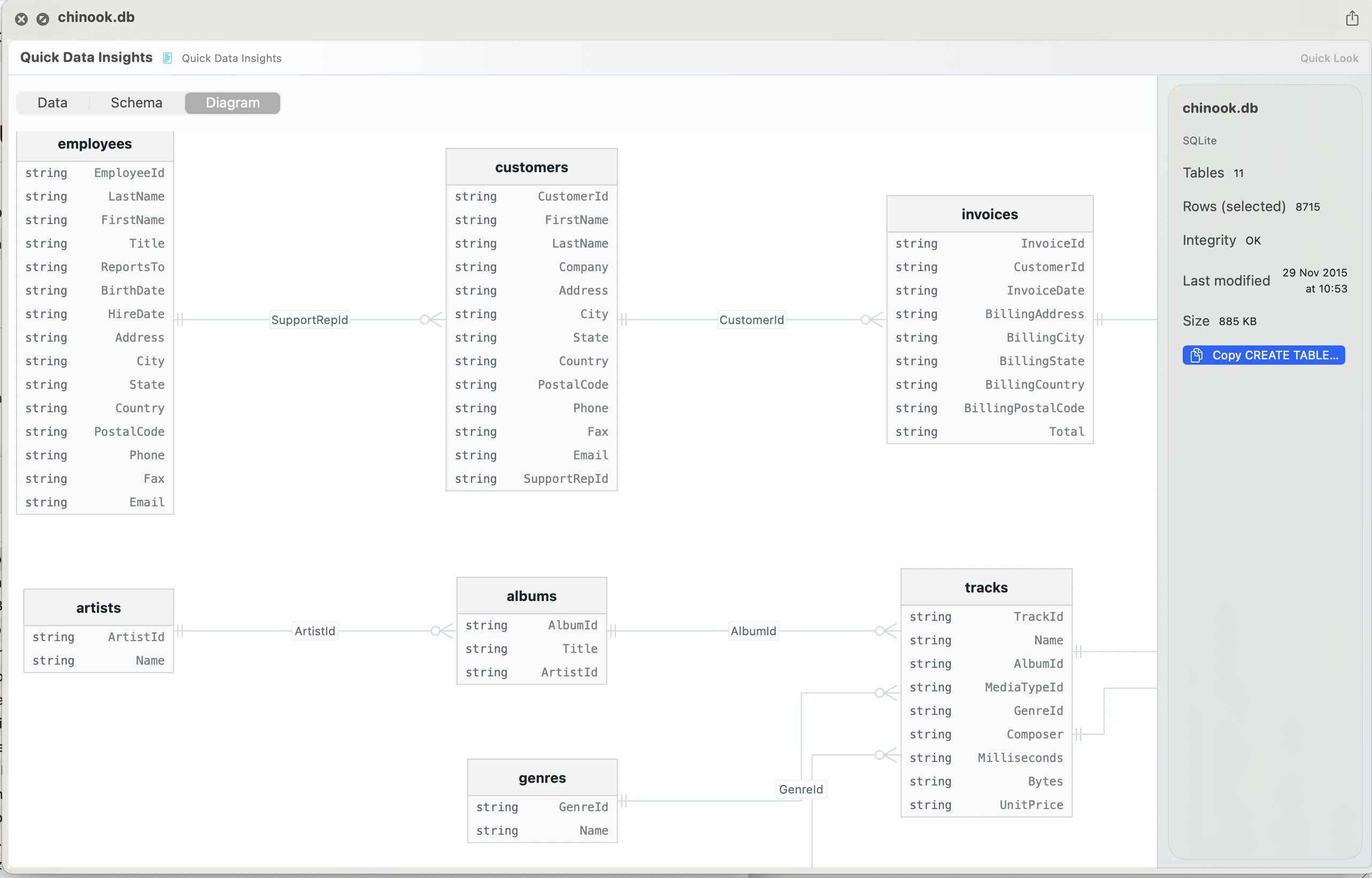
Select a file and hit the spacebar to get a peek, schema, config, and copy structure in sql or python instantly. The intelligent parser recognises data structures, handles messy data, and generates clean visualisations — no code, no configuration required.

.parquet .sqlite .ipynb .db ...
shield_lock

Local-First Privacy

Your data never leaves your Mac. Full offline capability ensures complete confidentiality for sensitive datasets — no accounts, no sync, no cloud.

100% Offline
speed

Native macOS Performance

Built from scratch in Swift and accelerated with Metal. Renders millions of data points instantly, taking full advantage of Apple Silicon without breaking a sweat.

SwiftUI Metal API Apple Silicon Rosetta 2
bar_chart

How Quick Data Insights works

Quick Data Insights extends macOS Quick Look to data files developers actually work with — Parquet, SQLite, and Jupyter notebooks. Select a file and press Space to instantly see its schema, a data preview, and ready-to-copy SQL or Python structure, without opening an IDE or notebook server. It runs fully offline and never uploads your data anywhere, making it safe for sensitive or proprietary datasets.

Is Quick Data Insights free?

No — it's a one-time $4.99 Mac App Store purchase, no subscription.

What file types does it preview?

Parquet files, SQLite databases, and Jupyter notebooks (.ipynb) — directly in Finder via Quick Look.

Is my data safe with Quick Data Insights?

Yes. It's fully local-first — your data never leaves your Mac, works offline, and there are no accounts or sync involved.

Can I get the schema in code form?

Yes — Quick Data Insights can copy the file's structure directly as SQL or Python, ready to paste into your project.
More from a2ra-ms · macOS Apps

FinderPeek arrow_forward GIS Quick Viewer arrow_forward