What is a SQLite file?
SQLite is the most widely deployed database engine in the world: a whole relational database in a single file. Apps, browsers, phones and data projects all use it, so you'll often find .db, .sqlite and .sqlite3 files you want to peek into.
What you see with Quick Data Insights
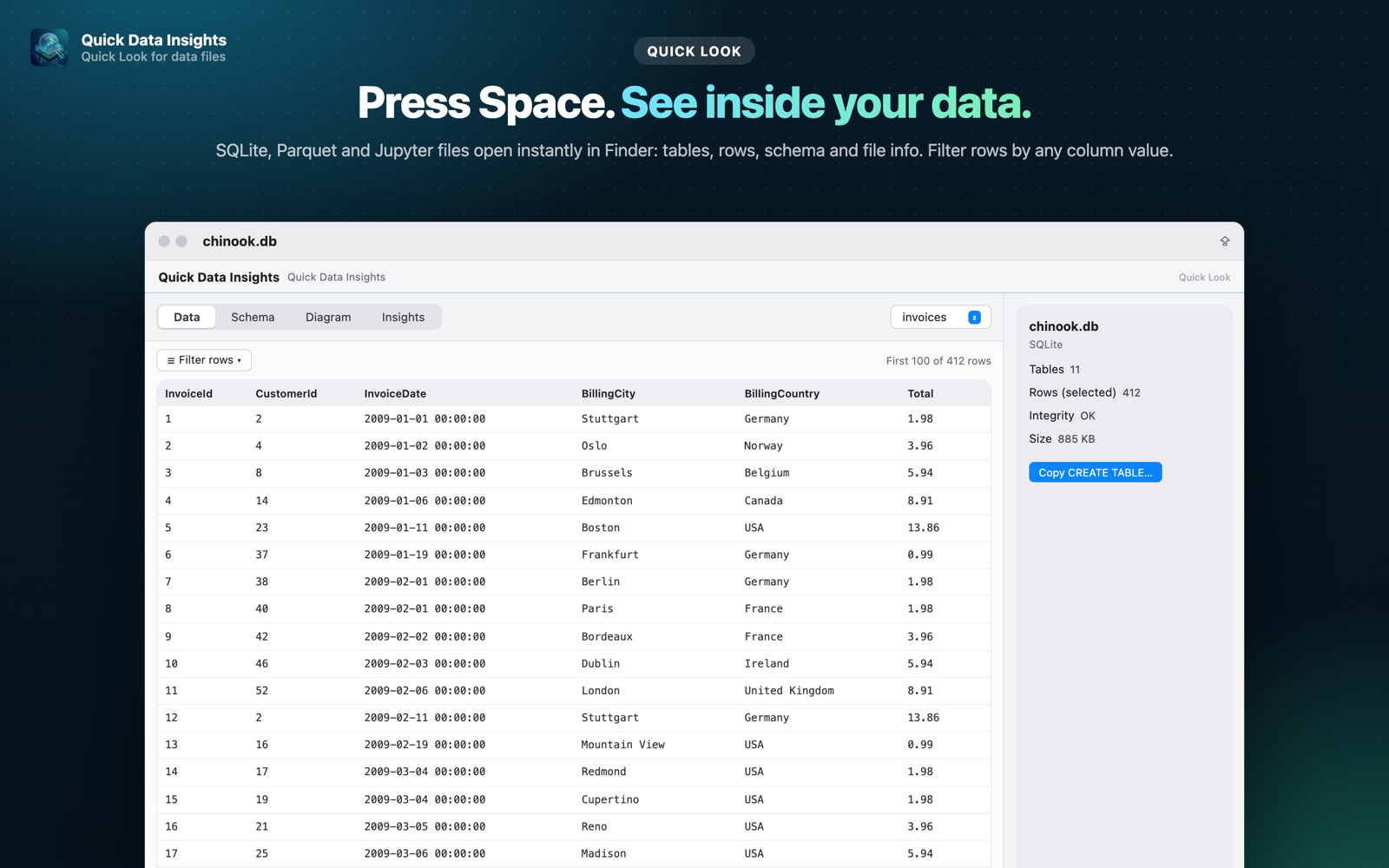
- check_circleSwitch between tables and see the first rows, with a row filter by column value
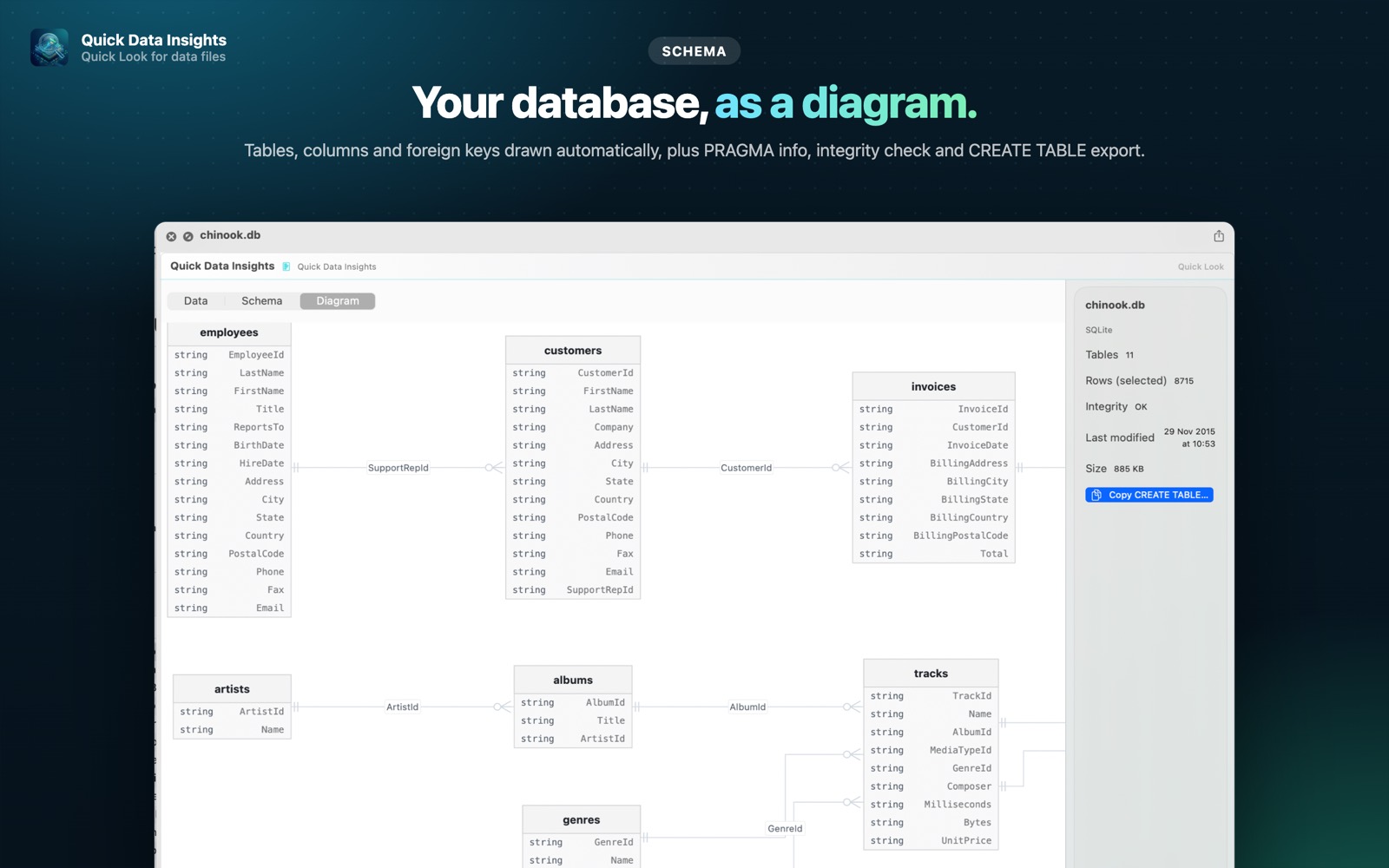
- check_circleSchema, foreign keys and PRAGMA info; copy CREATE TABLE statements
- check_circleAutomatic ER diagram of tables, columns and relationships
- check_circleIntegrity check, and files are always opened read-only
How to open SQLite files on your Mac
-
1
Install Quick Data Insights
Get it from the Mac App Store and launch it once.
-
2
Enable the extension
Open System Settings › General › Login Items & Extensions › Quick Look and switch on Quick Data Insights.
-
3
Select a file and press Space
In Finder, click your SQLite file and press the Space bar to see its data, schema and more.
lock Everything runs on your Mac. Files are opened read-only, with no network access, no analytics and no account.
Questions
How do I open a .db file on a Mac?
If it is a SQLite database, install Quick Data Insights, select the file in Finder and press Space to see its tables and data.
Can it change my database?
No. Files are opened read-only, and the app never modifies them.
Can I run SQL queries?
Yes. The SQL Query window in the app runs read-only SQL with filters, GROUP BY, joins and aggregates (a Pro feature).