What is a Arrow / Feather file?
Apache Arrow is an in-memory columnar format, and its IPC/Feather files are a fast way to hand data between pandas, Polars, R and other tools. They are binary and typed, so a text editor won't help.
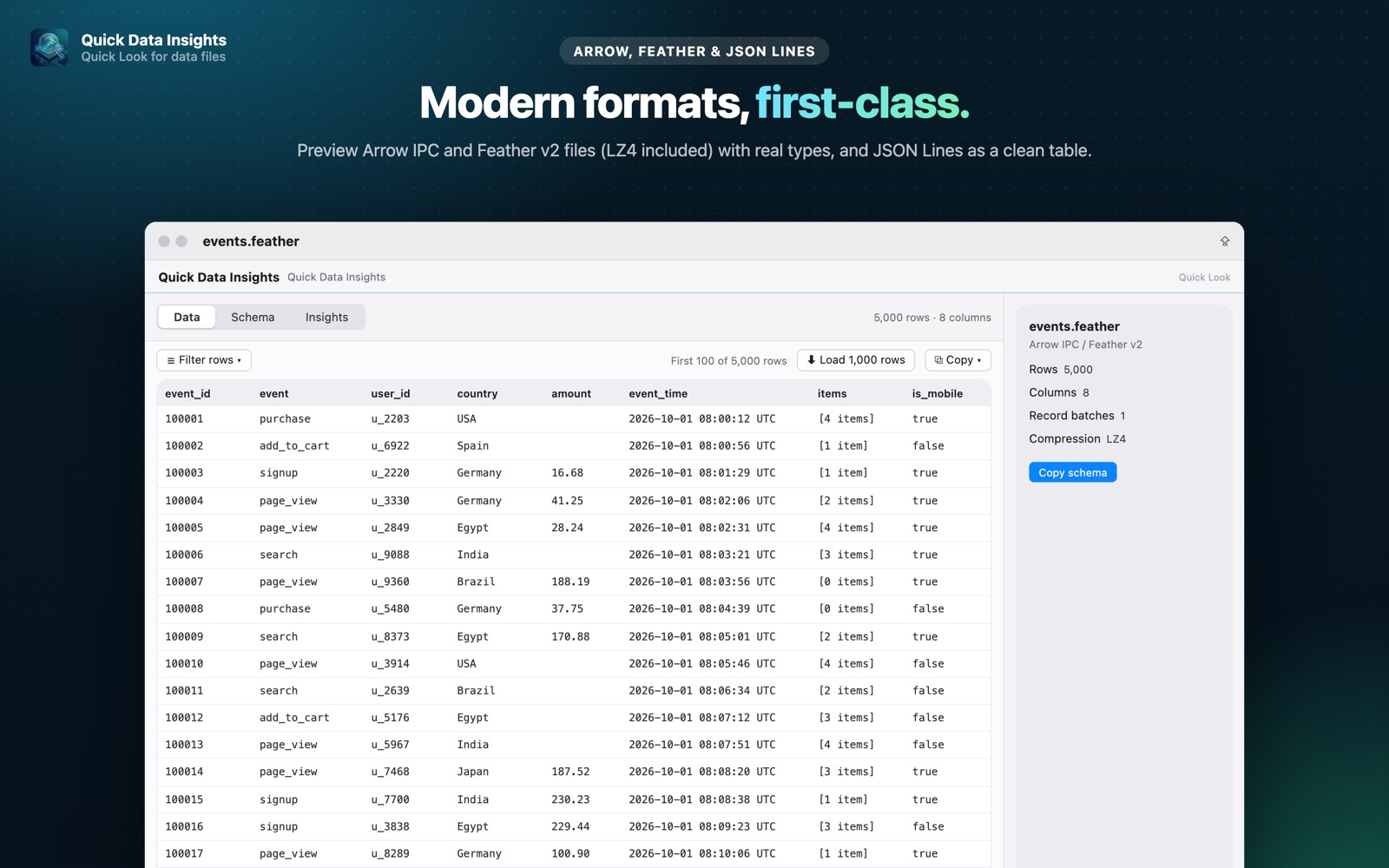
What you see with Quick Data Insights
- check_circleArrow IPC files and streams, and Feather v2
- check_circleLZ4-compressed files supported
- check_circleReal column types: dictionary, decimal, timestamp, list and more
- check_circleRow count, columns, record batches and compression at a glance (Pro)
How to open Arrow / Feather files on your Mac
-
1
Install Quick Data Insights
Get it from the Mac App Store and launch it once.
-
2
Enable the extension
Open System Settings › General › Login Items & Extensions › Quick Look and switch on Quick Data Insights.
-
3
Select a file and press Space
In Finder, click your Arrow / Feather file and press the Space bar to see its data, schema and more.
lock Everything runs on your Mac. Files are opened read-only, with no network access, no analytics and no account.
Questions
How do I open a .feather file on a Mac?
Install Quick Data Insights, select the file in Finder and press Space to see its rows and schema.
Are compressed Feather files supported?
Yes, including LZ4-compressed ones.
Is Arrow support free?
Arrow and Feather previews are part of Quick Data Insights Pro, a one-time purchase with a free 7-day trial.