Canvas Eye app icon
extension Safari Extension · macOS · Free · Pro one-time

Canvas Eye:
The Design Inspector Safari Never Had.

Measure the distance between any two elements, pick any pixel's color, see the font that actually renders, copy clean CSS or Tailwind, and export a site's design tokens. Every tool in one floating toolbar, one keystroke away.

download Download on Mac App Store mail Contact Support

Press ⌥⇧C on any page to start inspecting.

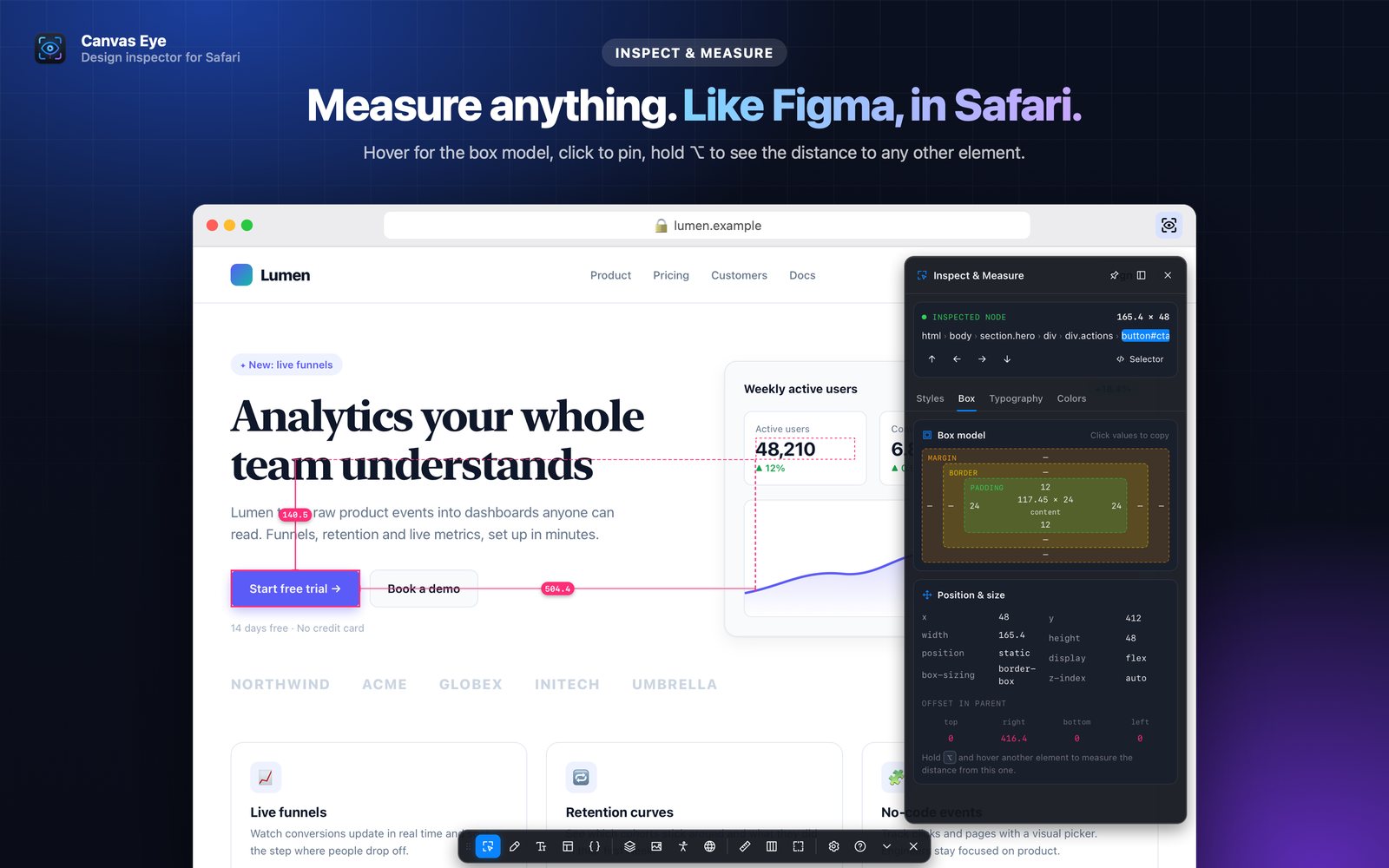
Canvas Eye measuring the distance between two elements on a website in Safari

Every design tool, one toolbar

Replace a drawer full of single-purpose extensions. Canvas Eye covers what Safari's Web Inspector makes slow or impossible.

keyboard One keystroke lock 100% on-device layers_clear Leaves the page untouched
straighten

Inspect & Measure

Hover for the box model. Click to pin, hold ⌥ and hover another element to see the distance, like Figma. Arrow keys walk the DOM; a free ruler and guides snap to edges.

colorize

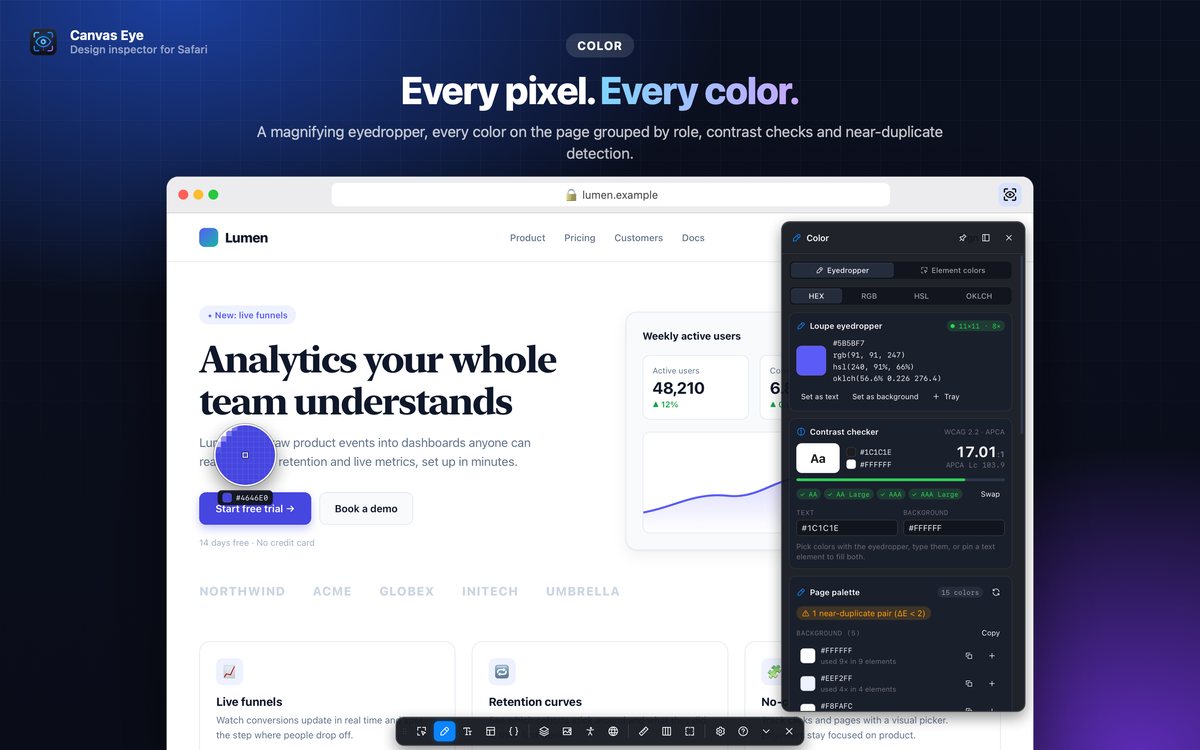
Color

A magnifying eyedropper for any pixel, element colors, WCAG 2.2 and APCA contrast, the page palette by role, gradients and near-duplicate detection. HEX, RGB, HSL or OKLCH.

text_fields

Fonts

The font that actually renders (not just the font stack), where it comes from, weights, sizes and variable axes. Plus the page's full font inventory and real type scale.

code

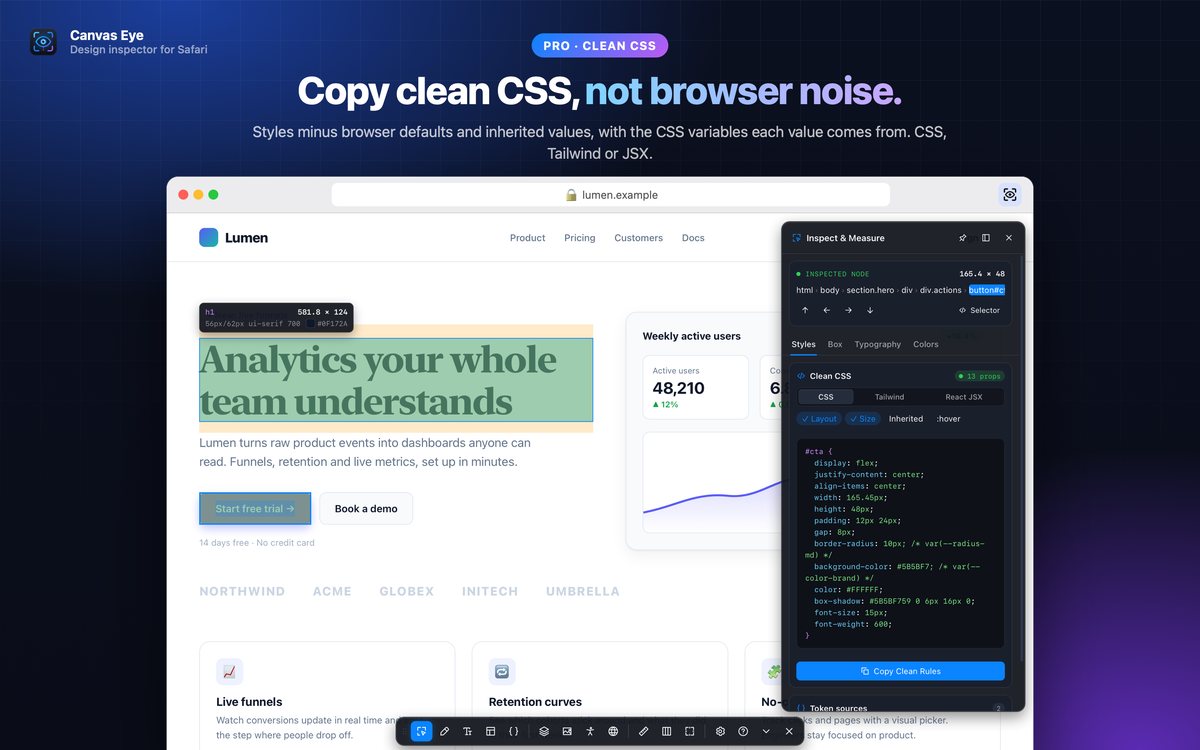
Clean CSS

Copy an element's styles without browser defaults or inherited noise, with shorthands collapsed and the CSS variable behind each value. As CSS, Tailwind classes or a React style object.

grid_on

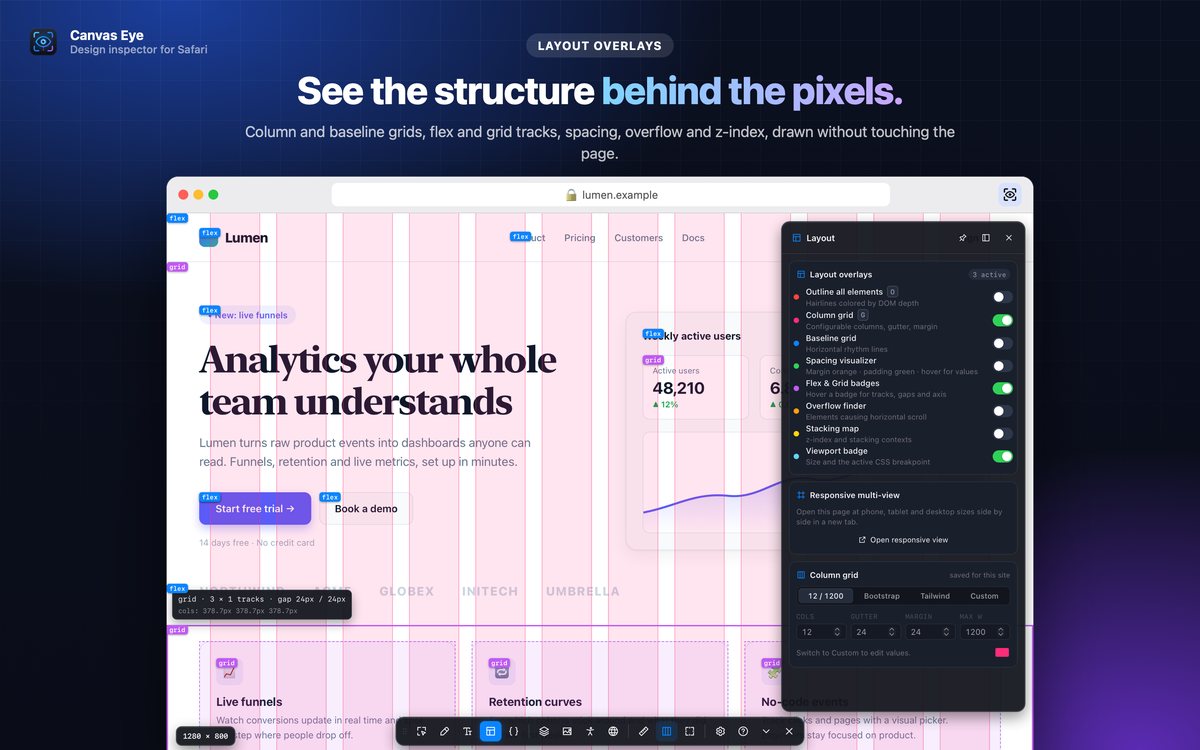
Layout Overlays

Outline every element, column and baseline grids, spacing, flex and grid tracks, the overflow finder for horizontal scroll, a z-index stacking map and the active breakpoint.

data_object

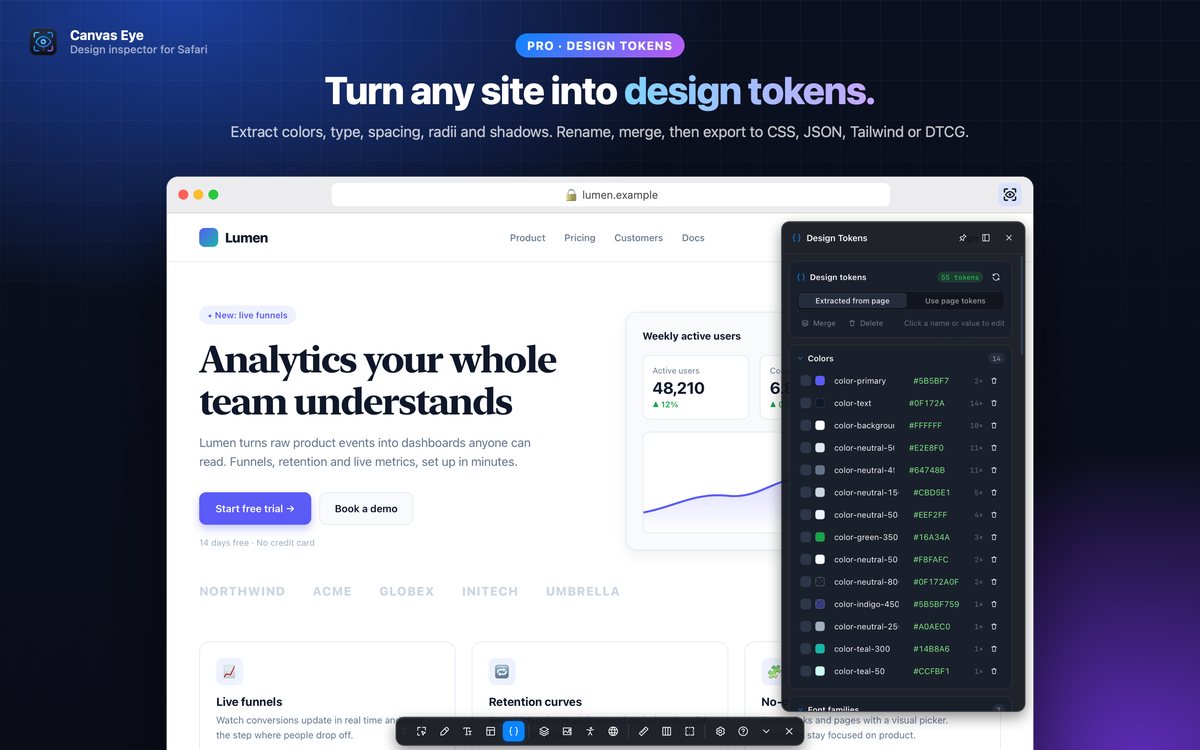
Design Tokens

Extract a live site's colors, type, spacing, radii and shadows. Rename, merge and delete, then export CSS variables, JSON, Tailwind v4/v3, W3C design tokens or SCSS.

layers

Mockup Overlay

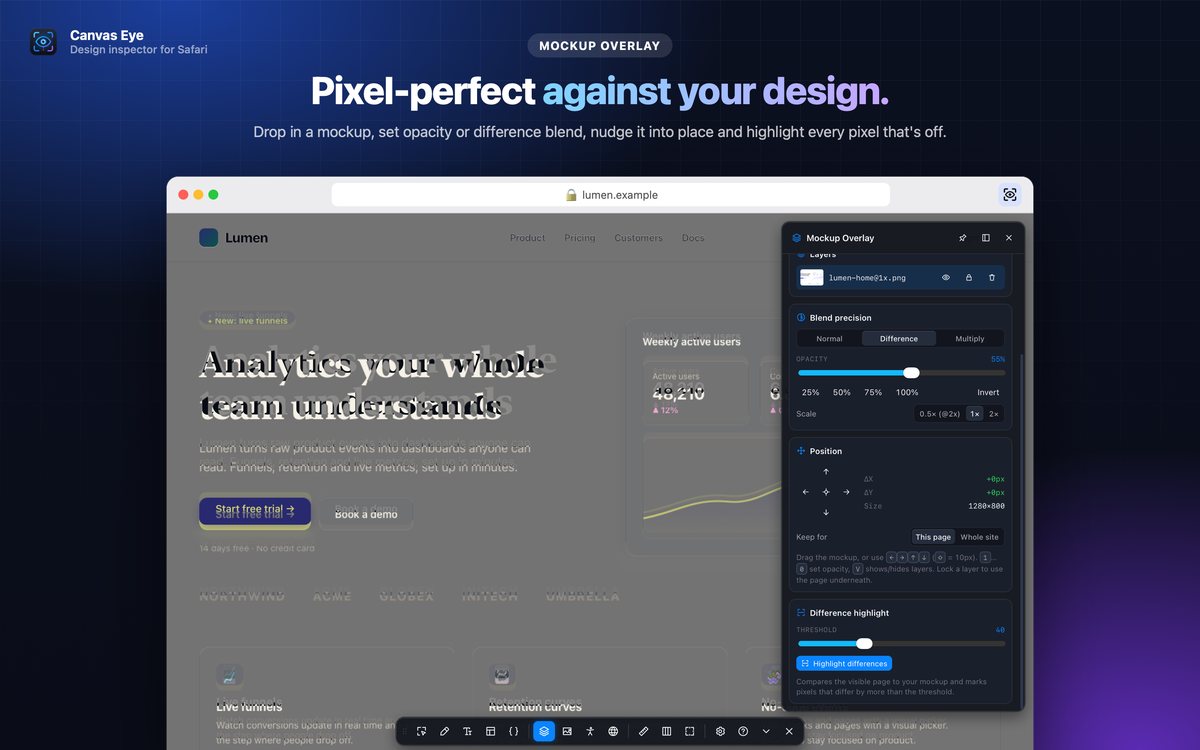
Drop in your design, set opacity or difference blend, nudge it pixel by pixel and highlight everything that doesn't match.

accessibility_new

Accessibility

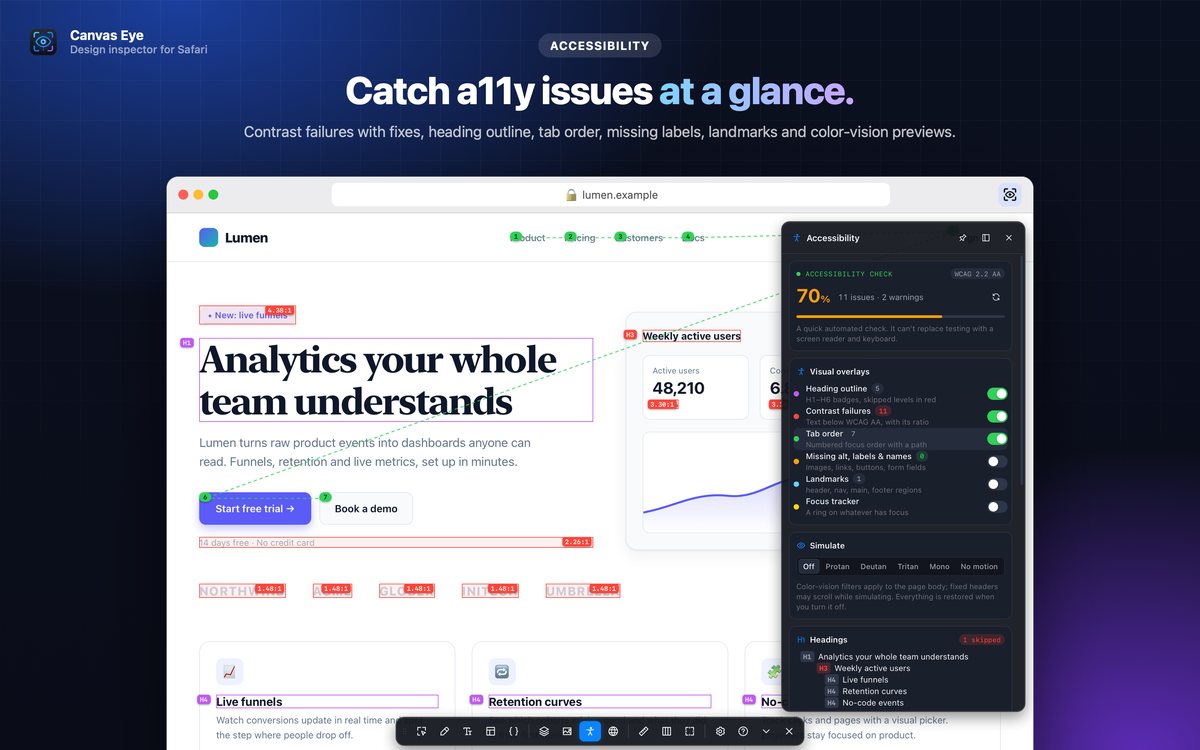
Contrast failures with suggested fixes, heading outline, tab order, missing labels and alt text, landmarks, and color-vision simulations.

travel_explore

Assets, Meta & SEO

Every image, SVG and icon with ZIP download. Tags, JSON-LD and link previews for iMessage, X, LinkedIn, Slack and Facebook.

See it in action

Clean CSS copied from a button, with CSS variable sources
Clean CSS, Tailwind or JSX, with the tokens each value comes from.
Canvas Eye eyedropper loupe and page palette
Pixel eyedropper, contrast checker and the page's full palette.
Column grid and flex/grid badges over a website
Grids, flex and grid tracks, overflow and stacking, drawn without touching the page.
Design tokens extracted from a website
Turn any live site into design tokens in six formats.
Accessibility overlays showing contrast failures, headings and tab order
Contrast, headings and tab order at a glance.
A design mockup overlaid on a website in difference mode
Pixel-perfect checks against your design.

Free to use. Pro when you need it.

No subscription. Try every Pro tool free for 7 days; when the trial ends, free tools keep working.

Free

Forever

  • checkHover inspect, box model, pin
  • check⌥ distance measuring and DOM navigation
  • checkEyedropper, element colors, contrast checker
  • checkFont details and typography copy
  • checkOutline all, viewport badge
  • checkMeta & SEO previews, heading outline, one mockup layer

Canvas Eye Pro

One-time purchase · 7-day free trial

  • checkClean CSS, Tailwind and JSX copy, selector copy
  • checkPage palette, gradients, near-duplicates, palette tray
  • checkFont inventory and type scale
  • checkDesign token export in every format
  • checkGrids, spacing, flex/grid, overflow, stacking map
  • checkRuler and guides, unlimited mockups, ZIP assets, all a11y overlays

How Canvas Eye works

Canvas Eye is a Safari extension for front-end developers, designers and accessibility reviewers. Press ⌥⇧C, click the toolbar button, or right-click an element to open a floating toolbar on the current page. Hover to see sizes and spacing, click to pin an element and read its clean CSS, hold Option to measure distances, and switch tools with single keys: C for color, F for fonts, L for layout, T for tokens. Overlays are drawn in an isolated layer, so the page's layout never shifts, and closing Canvas Eye leaves the page exactly as it was. Nothing leaves your Mac.

Is Canvas Eye free?

Yes. Inspecting, measuring, the eyedropper, font details, the box model, outline overlays and link previews are free forever. Canvas Eye Pro is a one-time purchase, and you can try every Pro tool free for 7 days.

How do I open Canvas Eye?

Press Option-Shift-C on any page, click the Canvas Eye toolbar button, or right-click an element and choose Inspect with Canvas Eye.

Does Canvas Eye change the page or slow it down?

No. It only runs on pages where you open it, draws its overlays in an isolated layer, and closing it leaves the page exactly as it was.

Does Canvas Eye collect any data?

No. Everything runs on your Mac. Canvas Eye never sends page content anywhere, has no account and no analytics.
More from a2ra-ms · Safari Extensions

My Styles arrow_forward Refresh+ Monitor arrow_forward Quitala arrow_forward