What is a JSON file?
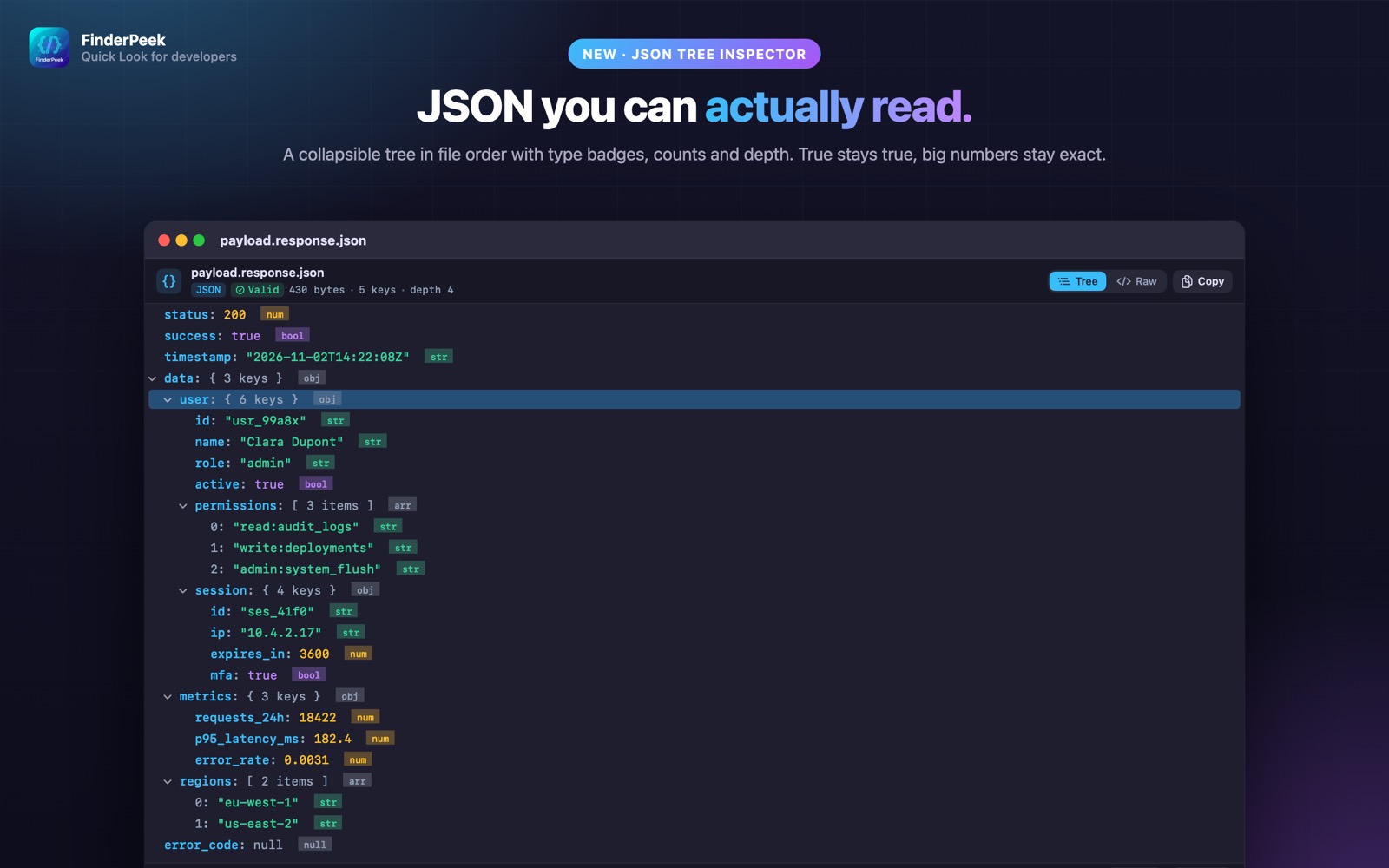
JSON is everywhere — API responses, config files, package manifests, exports. macOS shows it as plain text at best, and a minified JSON file is a single unreadable line.
What you see with FinderPeek
- check_circleCollapsible tree in file order, with type badges, counts and depth
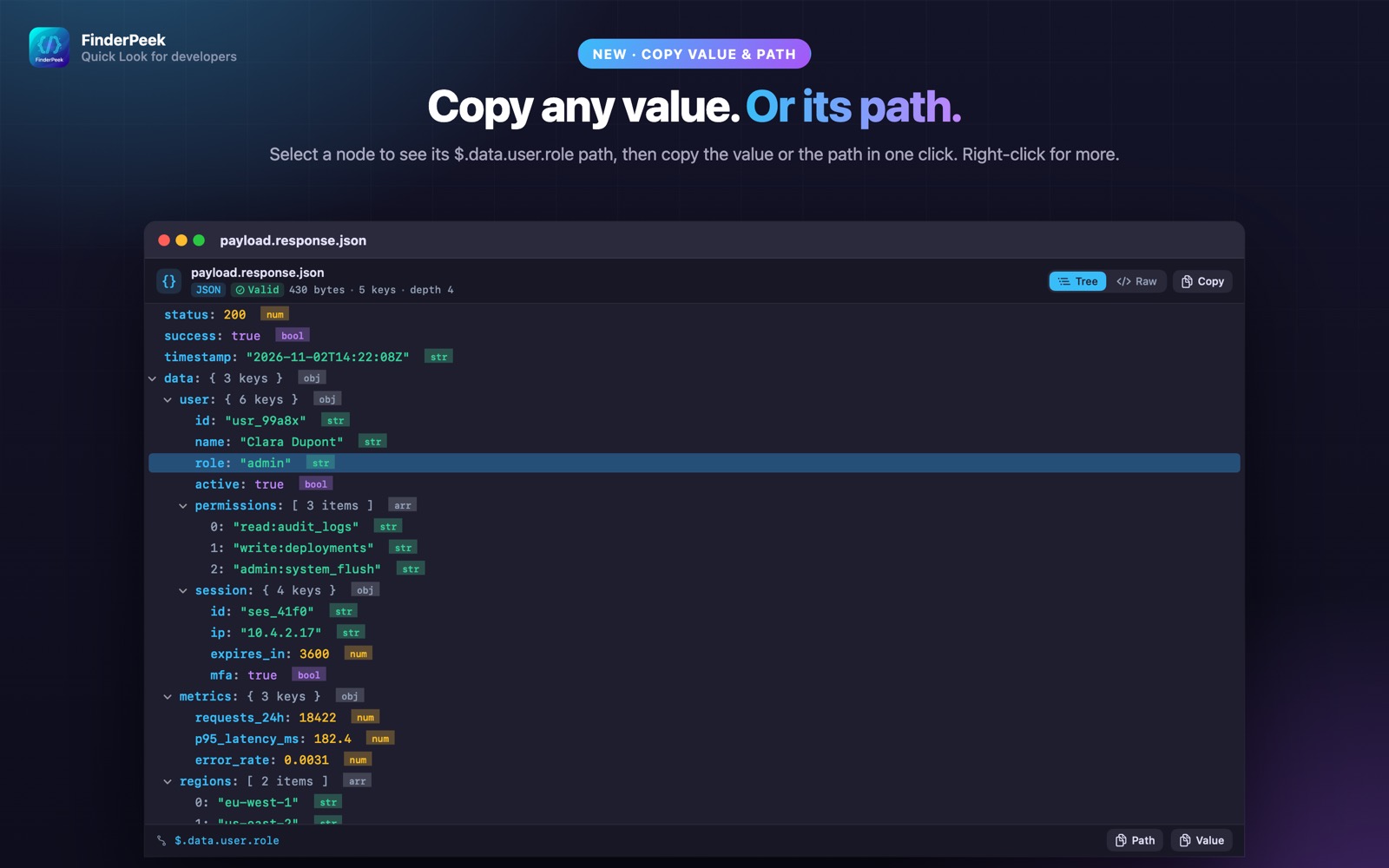
- check_circleCopy any value or its path
- check_circleRaw view, with minified JSON formatted automatically
- check_circleJSONC (with comments) and JSON Lines too
How to open JSON files on your Mac
-
1
Install FinderPeek
Get it from the Mac App Store and open it once.
-
2
Turn on its viewers
In System Settings › General › Login Items & Extensions › Quick Look, enable the FinderPeek viewers you want. Use “Check a File” in the app to see which viewer handles a file.
-
3
Select a file and press Space
In Finder, click your JSON file and press the Space bar to read it right away.
lock Everything happens on your Mac. FinderPeek never connects to the internet and collects no data.
Questions
How do I view JSON nicely on a Mac?
Install FinderPeek, enable its Data Viewer, then select a .json file in Finder and press Space to see it as a tree.
Can it format minified JSON?
Yes. The raw view formats minified JSON automatically.
Can I copy a JSON path?
Yes. Select a node in the tree to copy its value or its path.