What is a KML file?
KML (Keyhole Markup Language) is the XML-based format made popular by Google Earth and Google My Maps. It stores points (placemarks), lines and polygons in WGS 84 longitude/latitude, together with names, descriptions and styling. KML files are common exports from Google My Maps, GPS tools, drones and field-survey apps.
What you see with GIS Quick Viewer
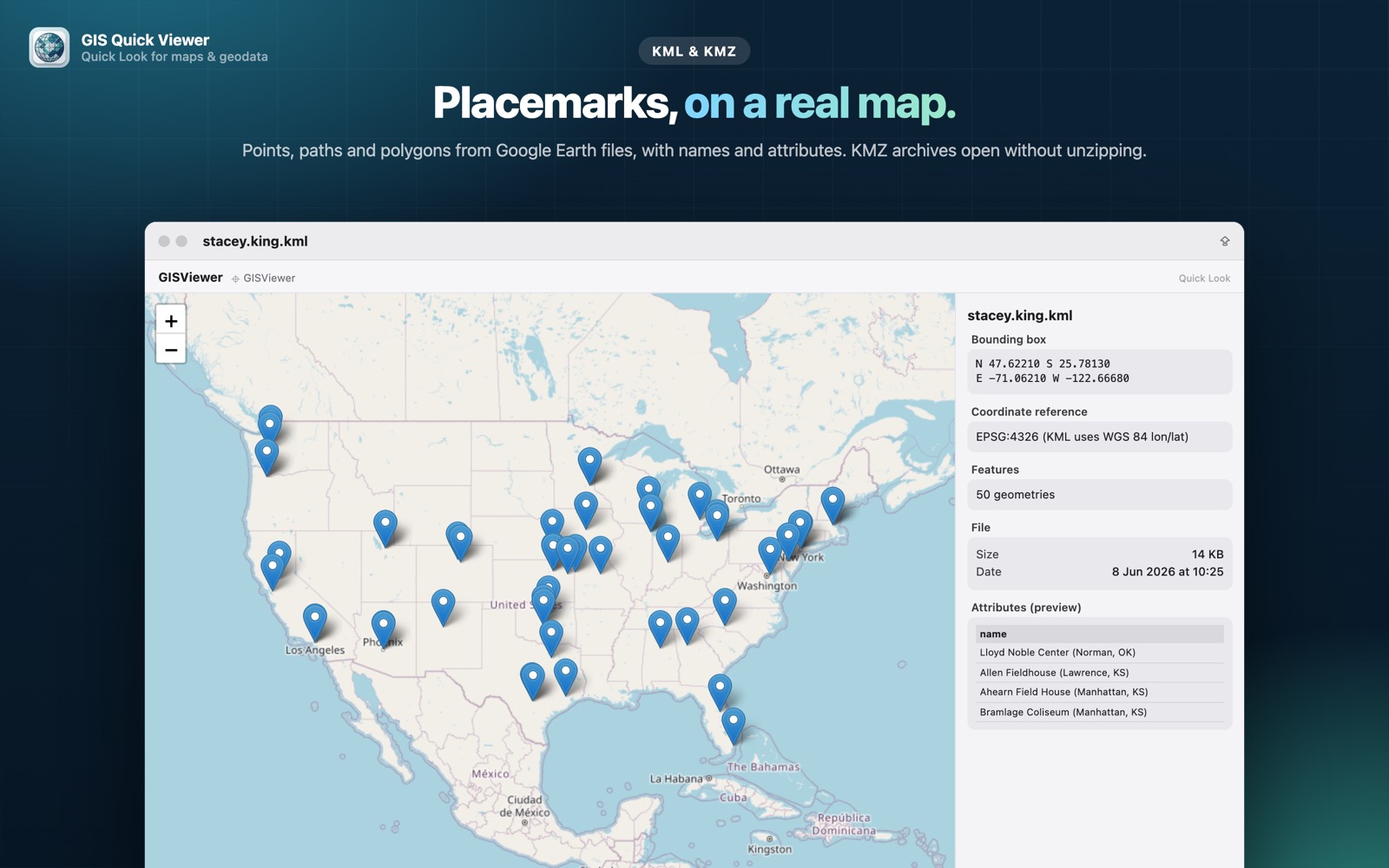
- check_circlePoints, paths and polygons drawn on a fast, zoomable map
- check_circlePlacemark names and attributes in a preview table
- check_circleBounding box, coordinate reference (EPSG:4326) and feature count at a glance
- check_circleWorks offline for the file itself — only map tiles are fetched
How to open KML files on your Mac
-
1
Install GIS Quick Viewer
Get it from the Mac App Store and open it once so macOS registers its Quick Look extension.
-
2
Enable the extension
Open System Settings › General › Login Items & Extensions › Quick Look and make sure GIS Quick Viewer is switched on.
-
3
Select a file and press Space
In Finder, click your KML file and press the Space bar. The map, CRS, bounding box and attributes appear instantly.
lock Your files are read on your Mac and never uploaded. Only the background map tiles are loaded from the internet.
Questions
Can I open a KML file on a Mac without Google Earth?
Yes. With GIS Quick Viewer installed, select the .kml file in Finder and press Space. The preview shows the features on a map without launching Google Earth or any GIS application.
Does it show placemark names and descriptions?
Yes. Feature names and attributes are listed in the attribute preview next to the map.
What about KMZ files?
KMZ is a zipped KML. GIS Quick Viewer opens KMZ archives directly without unzipping them, and also draws a thumbnail of the shapes in Finder.