Why copying from the Web Inspector is messy
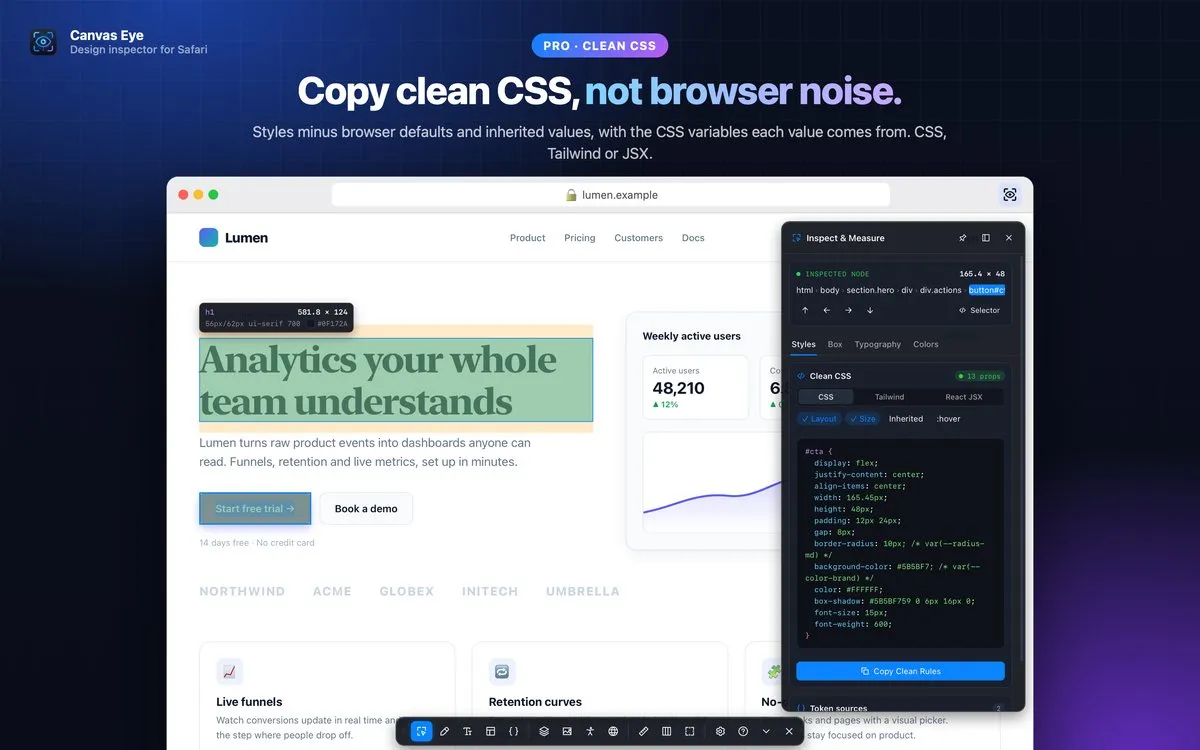
Computed styles in the Web Inspector include every browser default and inherited value, hundreds of lines for a single button. Picking out the declarations that matter and converting them to Tailwind is slow and error-prone.
What Canvas Eye gives you
- check_circleOnly the styles that matter: no browser defaults or inherited noise
- check_circleShorthands collapsed, with the CSS variable behind each value
- check_circleCopy as CSS, Tailwind classes or a React style object
- check_circleCopy the element's selector too
How to do it on your Mac
-
1
Install Canvas Eye and enable it
Get it from the Mac App Store, then turn it on in Safari › Settings › Extensions.
-
2
Pin the element
Press ⌥⇧C and click the element you want.
-
3
Copy the format you need
Choose CSS, Tailwind or JSX and copy it to the clipboard.
lock Everything runs on your Mac. Canvas Eye never sends page content anywhere, has no account and no analytics.
Questions
Is clean CSS copy free?
It's part of Canvas Eye Pro, a one-time purchase. You can try every Pro tool free for 7 days, and the free tools keep working after the trial.
Can I copy it as a React style object?
Yes. Copy styles as plain CSS, Tailwind classes or a React style object (JSX).
Does it show which CSS variable a value comes from?
Yes. Each value shows the CSS variable behind it, so you can reuse the site's own tokens.