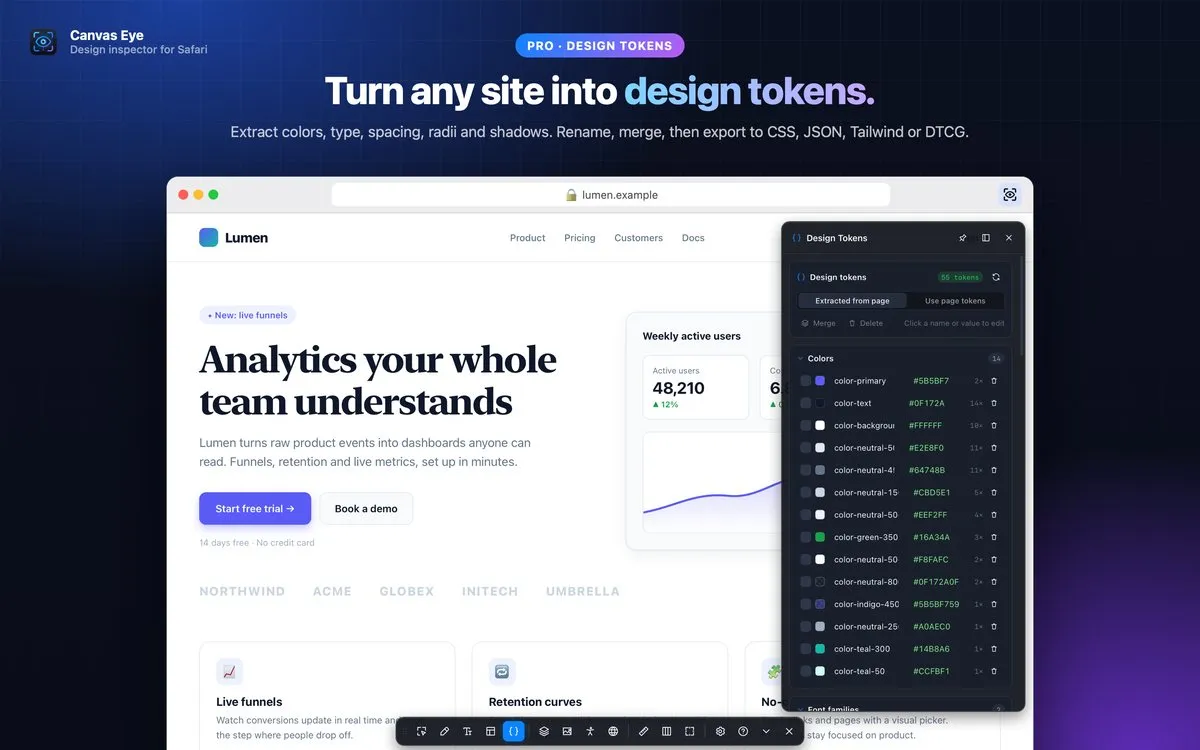
When you need a site's tokens
Rebuilding a legacy site, auditing a design system that drifted, or starting a redesign from what's live: all of these start with an inventory of the colors, type sizes, spacing and shadows a site really uses. Doing that by hand means hours in the Web Inspector.
What Canvas Eye gives you
- check_circleColors, typography, spacing, radii and shadows collected from the live page
- check_circleRename, merge and delete tokens before exporting
- check_circleExport as CSS variables, JSON, Tailwind v4 or v3, W3C design tokens or SCSS
- check_circleNear-duplicate colors flagged so you can consolidate them
How to do it on your Mac
-
1
Install Canvas Eye and enable it
Get it from the Mac App Store, then turn it on in Safari › Settings › Extensions.
-
2
Open the Tokens tool
Press ⌥⇧C on the site, then T for tokens.
-
3
Clean up and export
Rename, merge or delete tokens, then export in the format your project uses.
lock Everything runs on your Mac. Canvas Eye never sends page content anywhere, has no account and no analytics.
Questions
Is design token export free?
Token export in every format is part of Canvas Eye Pro, a one-time purchase with a 7-day free trial.
Can I export a Tailwind config?
Yes. Both Tailwind v4 and v3 formats are supported.
Is the website's data sent anywhere?
No. Everything runs on your Mac, with no account and no analytics.