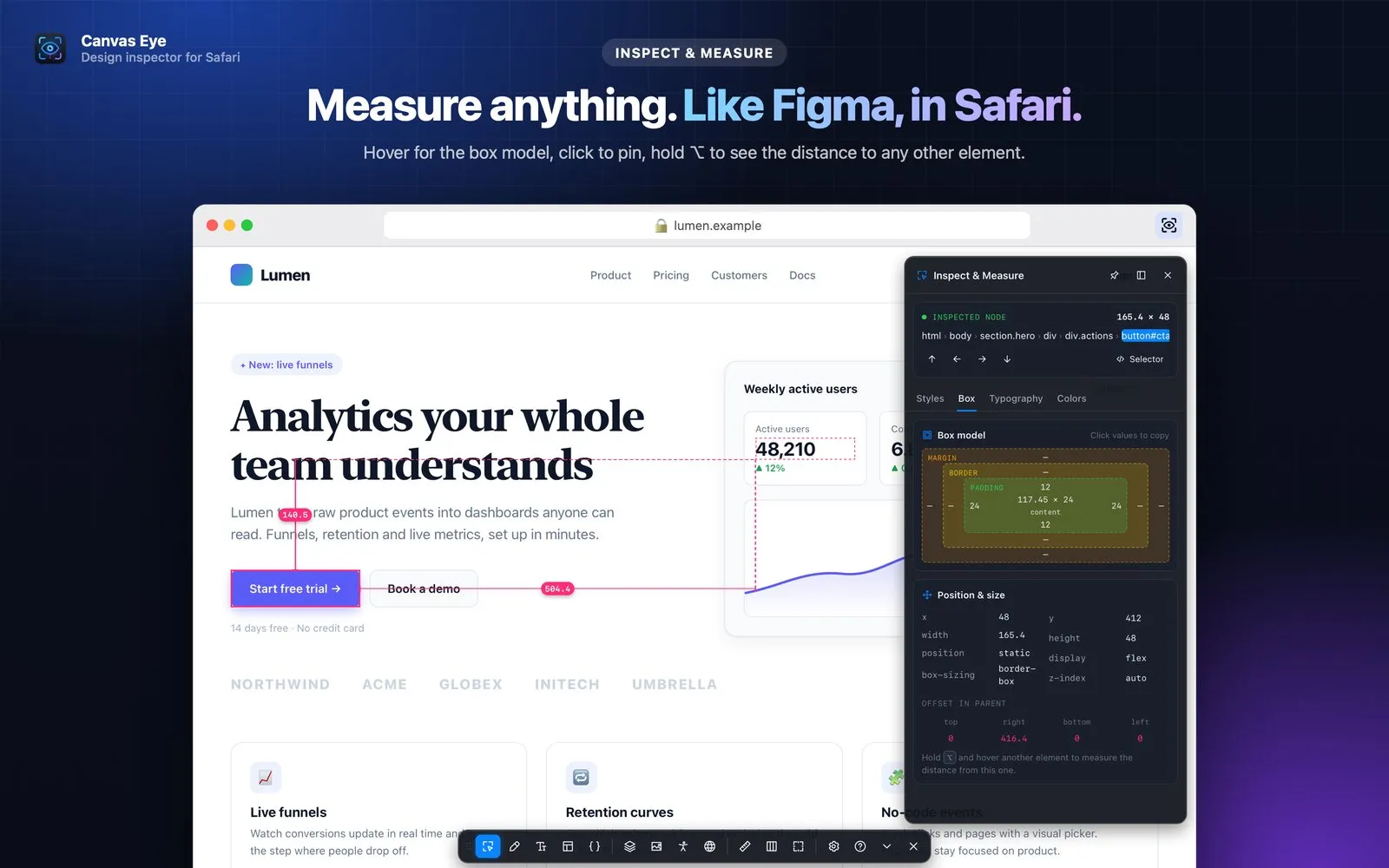
Why measuring in the browser matters
Design handoff rarely survives contact with real content. To check that a margin is really 24px or that two cards line up, you need measurements on the live page. Screenshot rulers can't see the DOM, and the Web Inspector only shows one element at a time.
What Canvas Eye gives you
- check_circleBox model on hover: size, padding, border and margin (free)
- check_circlePin an element and hold ⌥ to measure to any other (free)
- check_circleArrow keys walk the DOM to parent, child and sibling (free)
- check_circleA free-form ruler and guides that snap to edges (Pro)
How to do it on your Mac
-
1
Install Canvas Eye and enable it
Get it from the Mac App Store, then turn it on in Safari › Settings › Extensions.
-
2
Open it and hover
Press ⌥⇧C, then hover an element to see its box model.
-
3
Click, then hold ⌥
Click to pin the first element, hold Option and hover a second one to see the distance between them.
lock Everything runs on your Mac. Canvas Eye never sends page content anywhere, has no account and no analytics.
Questions
Is measuring free?
Yes. Hover inspect, the box model, pinning and ⌥ distance measuring are all free.
Can I compare the page with my design file?
Yes. Drop your mockup in as an overlay, set opacity or difference blend and nudge it pixel by pixel. One mockup layer is free.
Does it work on responsive layouts?
Yes. A viewport badge shows the active breakpoint while you measure.