What is a CSV file?
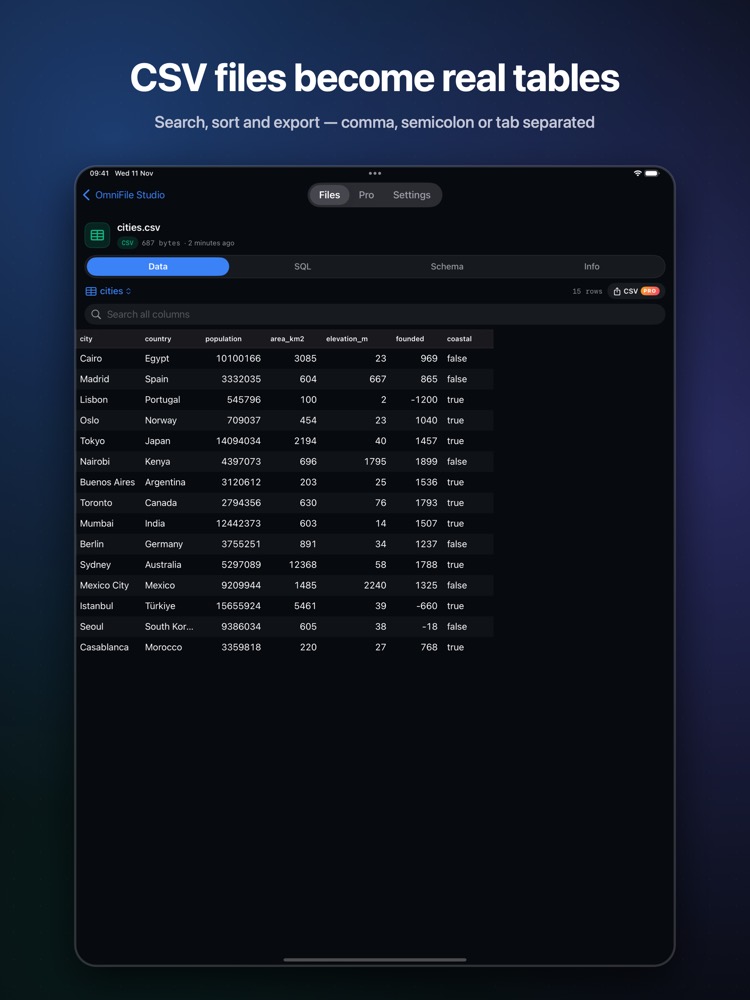
CSV is the default export of nearly every system, but on a phone it usually appears as a jumble of commas. A real table makes it readable.
What you see with OmniFile Studio
- check_circleComma, semicolon, pipe or tab separators, any encoding
- check_circleHeader detection and column types
- check_circleSearch across all columns, sort and fast paging
- check_circleSQL on your CSV and export (Pro)
How to open CSV files on your iPhone & iPad
-
1
Install OmniFile Studio
Get it free from the App Store on your iPhone or iPad.
-
2
Open or share the file
Tap the file in Files, or use the share sheet in Mail, WhatsApp, Safari or AirDrop and pick Quick View or Open in OmniFile Studio.
-
3
Explore it
Your CSV file opens in a dedicated viewer, read entirely on your device.
lock Files are read on your device and never uploaded. No accounts, no analytics, no tracking.
Questions
How do I view a CSV file on iPhone?
Install OmniFile Studio and share the CSV to Quick View or Open in OmniFile Studio.
Does it handle semicolon-separated files?
Yes. Comma, semicolon, pipe and tab separators are detected.
On a Mac?
Quick Data Insights lets you run SQL on CSV files on macOS.
More OmniFile Studio guides
Open GPX on iPhone
arrow_forward
Open FIT on iPhone
arrow_forward
Open KML / KMZ on iPhone
arrow_forward
Open GeoJSON / GeoPackage on iPhone
arrow_forward
Open SQLite on iPhone
arrow_forward
Open Excel on iPhone
arrow_forward
Open JSON on iPhone
arrow_forward
Open EML on iPhone
arrow_forward
Open Markdown on iPhone
arrow_forward
Open YAML on iPhone
arrow_forward
Open log on iPhone
arrow_forward
Open Arrow / Feather on iPhone
arrow_forward