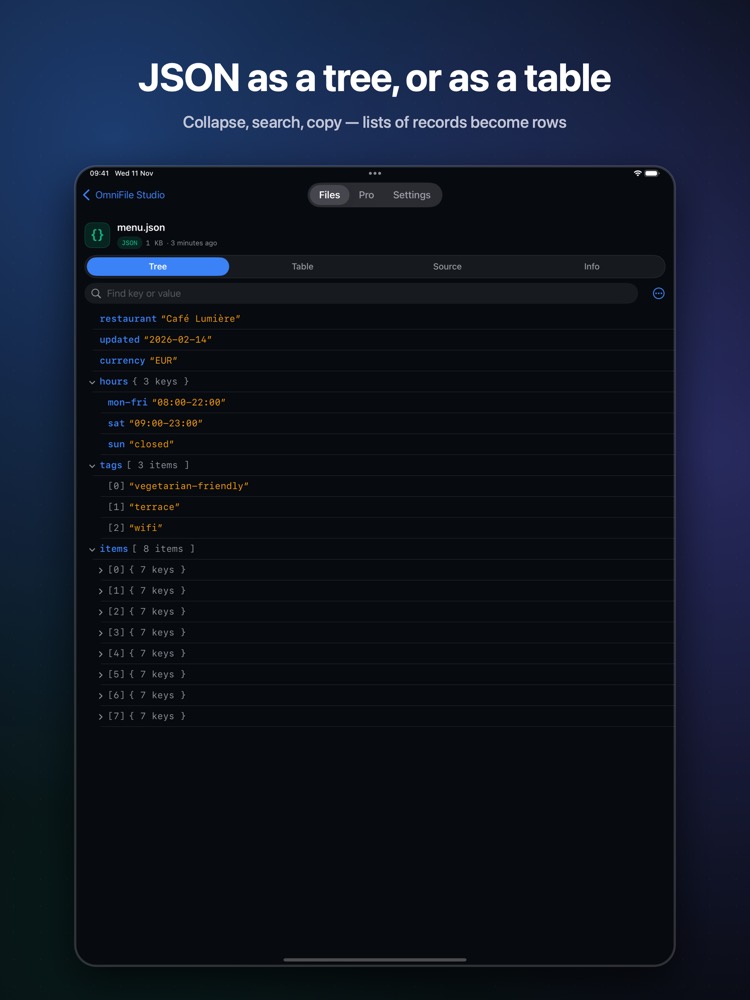
What is a JSON file?
JSON files from APIs and exports are hard to read on a phone, especially when minified. A tree or table view makes their structure obvious.
What you see with OmniFile Studio
- check_circleCollapsible tree for any JSON
- check_circleTable view when the JSON is a list of records
- check_circleJSON Lines / NDJSON with keys as columns
- check_circleSearch and sort
How to open JSON files on your iPhone & iPad
-
1
Install OmniFile Studio
Get it free from the App Store on your iPhone or iPad.
-
2
Open or share the file
Tap the file in Files, or use the share sheet in Mail, WhatsApp, Safari or AirDrop and pick Quick View or Open in OmniFile Studio.
-
3
Explore it
Your JSON file opens in a dedicated viewer, read entirely on your device.
lock Files are read on your device and never uploaded. No accounts, no analytics, no tracking.
Questions
How do I view a JSON file on iPhone?
Install OmniFile Studio and share the file to Quick View or Open in OmniFile Studio.
Are .jsonl files supported?
Yes. JSON Lines and NDJSON preview directly in Quick Look and open as tables.
On a Mac?
FinderPeek shows JSON as a tree in Finder's Quick Look.
More OmniFile Studio guides
Open GPX on iPhone
arrow_forward
Open FIT on iPhone
arrow_forward
Open KML / KMZ on iPhone
arrow_forward
Open GeoJSON / GeoPackage on iPhone
arrow_forward
Open SQLite on iPhone
arrow_forward
Open Excel on iPhone
arrow_forward
Open CSV on iPhone
arrow_forward
Open EML on iPhone
arrow_forward
Open Markdown on iPhone
arrow_forward
Open YAML on iPhone
arrow_forward
Open log on iPhone
arrow_forward
Open Arrow / Feather on iPhone
arrow_forward