What is a Markdown file?
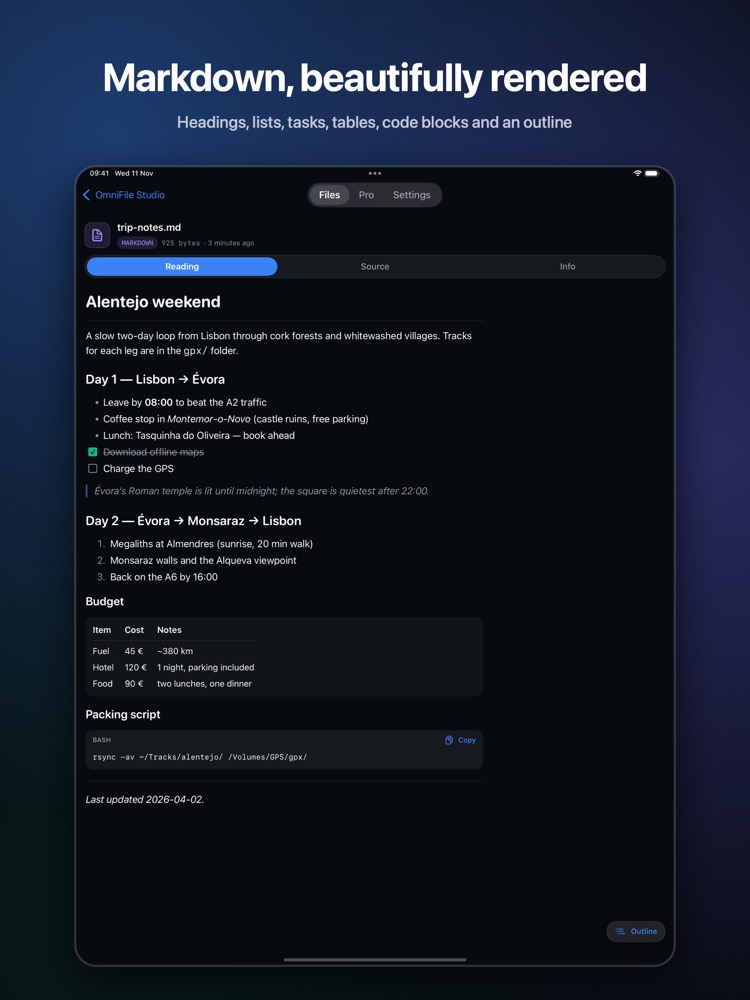
Markdown files (.md, .markdown) are READMEs, notes and documentation. On iOS they usually appear as raw text full of symbols.
What you see with OmniFile Studio
- check_circleHeadings, lists, task lists, tables, quotes and code blocks
- check_circleOutline for quick navigation
- check_circleLine-numbered Source view
- check_circleQuick Look preview for .markdown files
How to open Markdown files on your iPhone & iPad
-
1
Install OmniFile Studio
Get it free from the App Store on your iPhone or iPad.
-
2
Open or share the file
Tap the file in Files, or use the share sheet in Mail, WhatsApp, Safari or AirDrop and pick Quick View or Open in OmniFile Studio.
-
3
Explore it
Your Markdown file opens in a dedicated viewer, read entirely on your device.
lock Files are read on your device and never uploaded. No accounts, no analytics, no tracking.
Questions
How do I read a Markdown file on iPhone?
Install OmniFile Studio and share the .md file to Quick View or Open in OmniFile Studio.
Can I see the source?
Yes. Every text file has a highlighted Source view.
On a Mac?
FinderPeek renders Markdown in Finder's Quick Look.
More OmniFile Studio guides
Open GPX on iPhone
arrow_forward
Open FIT on iPhone
arrow_forward
Open KML / KMZ on iPhone
arrow_forward
Open GeoJSON / GeoPackage on iPhone
arrow_forward
Open SQLite on iPhone
arrow_forward
Open Excel on iPhone
arrow_forward
Open CSV on iPhone
arrow_forward
Open JSON on iPhone
arrow_forward
Open EML on iPhone
arrow_forward
Open YAML on iPhone
arrow_forward
Open log on iPhone
arrow_forward
Open Arrow / Feather on iPhone
arrow_forward