What is a Excel file?
Excel workbooks (.xlsx, .xlsm) are how most spreadsheets get shared. iOS's built-in preview is fine for a glance but doesn't let you search, sort or query the data.
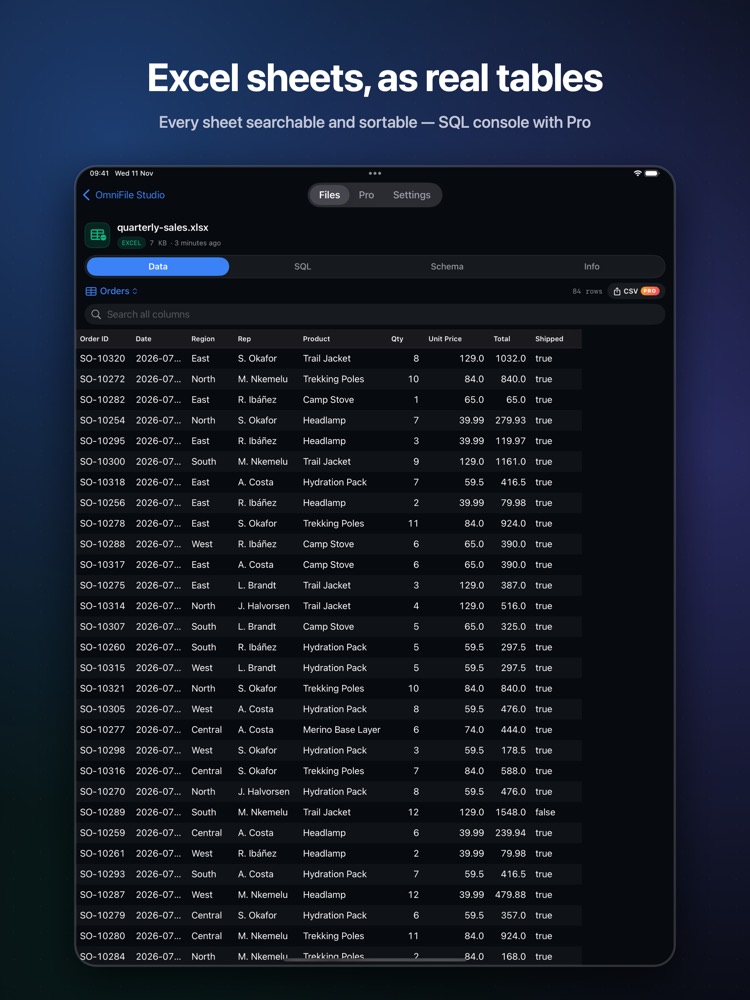
What you see with OmniFile Studio
- check_circleEvery sheet as a table, dates and numbers intact
- check_circleSearch across all columns, sort and column types
- check_circleFast paging for large sheets
- check_circleRun SQL on a sheet and export results as CSV (Pro)
How to open Excel files on your iPhone & iPad
-
1
Install OmniFile Studio
Get it free from the App Store on your iPhone or iPad.
-
2
Open or share the file
Tap the file in Files, or use the share sheet in Mail, WhatsApp, Safari or AirDrop and pick Quick View or Open in OmniFile Studio.
-
3
Explore it
Your Excel file opens in a dedicated viewer, read entirely on your device.
lock Files are read on your device and never uploaded. No accounts, no analytics, no tracking.
Questions
How do I open an xlsx file on iPhone without Excel?
Install OmniFile Studio, then share the file to Quick View or Open in OmniFile Studio from Files, Mail or any app.
Why does tapping it in Files show Apple's preview?
iOS previews Excel files itself when tapped in Files. Use the share sheet → Quick View, or Open in OmniFile Studio.
Is my spreadsheet uploaded?
No. Everything is read on your device.